
AI Photo Generator - ReCrea
S18Photography
4.64.00 Reviews
- Version
- 4.31
- Installs
- 100.00K
- Age Rating
- Everyone
Screenshots
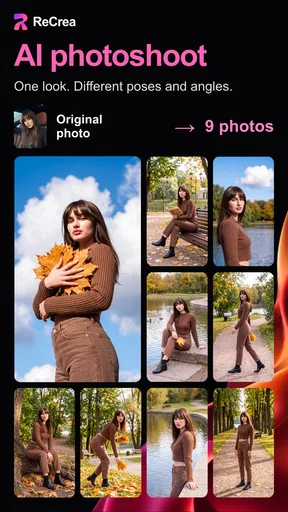
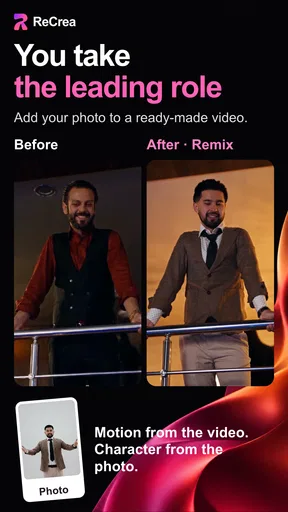
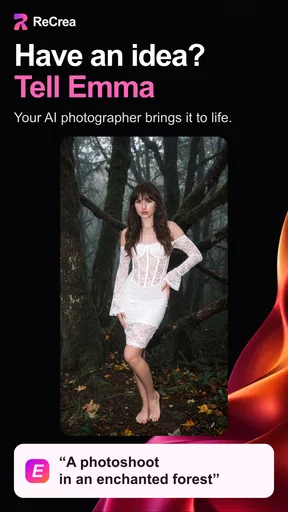
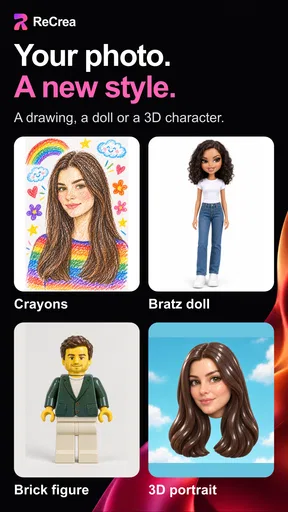
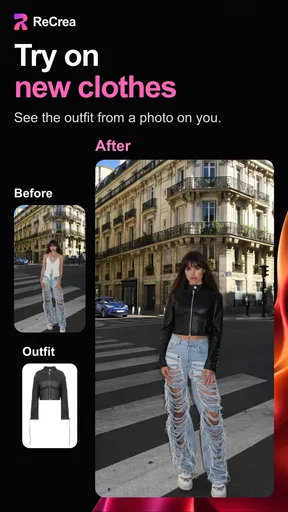
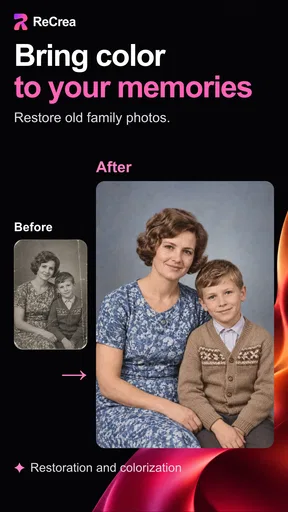
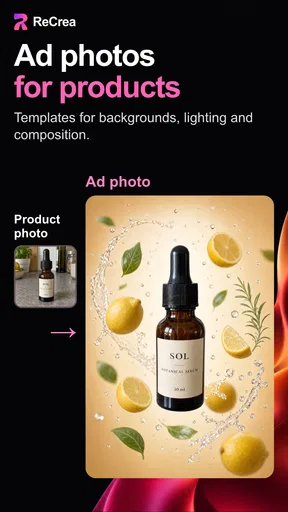
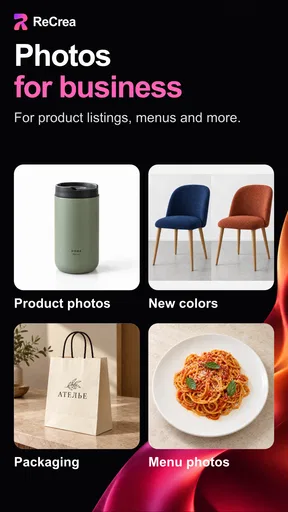
Our Review of AI Photo Generator - ReCrea
 Analysis by Appyee
I tried AI Photo Generator - ReCrea as a playful photography app rather than as a replacement for a normal camera editor. Its appeal is immediate: you start with a selfie or another photo and explore imaginative AI transformations, including action-figure concepts, headshot-style portraits, and other generated looks. I found it most enjoyable when I treated each result as a creative draft instead of expecting a perfectly accurate portrait every time.
That distinction matters in a shared household. One person may want a polished profile image, another may want a funny character version, and someone else may simply be curious about seeing how an ordinary selfie changes. ReCrea can serve all three purposes, but the experience depends on keeping expectations clear. It is a free photography app from S18, rated for Everyone, and it runs on devices using Android 8.0 or later. The app has reached over 100 thousand installs and holds a 4.6 average from around 1.7 thousand ratings, which gives it a healthy level of interest without making it feel like a specialist tool for professional photographers.
How ReCrea works in a shared household
When several people share a phone, I’d treat ReCrea as a set of separate creative sessions rather than a communal photo library. Let each person choose their own image and decide whether the result should be kept or shared; that small pause helps avoid confusing a playful experiment with a portrait someone wants to use publicly.
A simple creative activity for more than one person
The strongest household use case is a short, hands-on session where everyone chooses a different goal. I can imagine taking a group photo after dinner, then letting each person select a separate creative direction: one person requests a collectible-figure look, another aims for a more formal headshot, and a younger family member experiments with a fun selfie concept. That makes the app feel less like a one-purpose utility and more like a small creative activity.
The useful part is that the same original photo can support different ideas. You do not have to decide in advance whether a picture is “serious” or “fun.” A clear portrait can become a profile-style image, while the same face may also work as the basis for a stylized character. I recommend beginning with one well-lit photo and changing the concept before changing the person. That makes it easier to judge whether a result failed because of the source image or because the chosen style was not a good match.
For a shared device, this also creates a practical boundary: finish one person’s experiment before handing over the phone. Generated images can quickly become mixed together with ordinary camera photos, screenshots, and other saved material. I found it easier to review each result immediately, keep the useful ones, and avoid allowing a long chain of near-duplicates to build up.
Where the fun ends and a normal editor is better
ReCrea is aimed at generating a new visual interpretation, not at performing careful retouching. If I want to correct exposure, remove a small distraction, crop a document, or make a product photo look accurate, I would choose a conventional photo editor instead. Those tools give me direct control over the exact change. ReCrea is more interesting when I want the app to reinterpret the image and surprise me.
This difference is especially important for household photos. A generated result may look attractive while changing details that matter to the people in the picture. Facial features, clothing, hair, accessories, and background elements may not remain perfectly faithful to the original. For a playful avatar, that trade-off is usually acceptable. For an identification image, a school-related picture, or a family record where accuracy matters, I would keep the original photo and use a standard editor.
My main advice is to treat every generated image as a creative version, not as a reliable copy. That mindset prevents disappointment and helps each person choose the right task for the right tool.
Setting expectations before the first upload
When several people use one phone, the first setup conversation should be about whose photos are being used and what the finished image is for. A friend might happily upload a selfie for a joke but not want that image reused for a profile picture. A child may understand the fun result without understanding why a face photo deserves more care. ReCrea does not need to become a complicated family project, but a quick agreement avoids awkwardness later.
I would use the app in a staged way. First, choose a non-sensitive image that shows the basic workflow. Next, decide whether the result is good enough to save. Only after that would I move on to personal portraits or pictures containing several people. This is a more sensible approach than immediately processing a large collection of family photos, because it lets everyone see how the app fits their expectations.
The app is free to install, which makes trying it straightforward. However, optional purchases range from $2.99 to $174.99 per item. That is the point where shared-device use needs a clear boundary. I would not hand the phone to a child and assume that “free” means every part of the experience is free. An adult should check the purchase flow and decide whether any paid generation or feature is appropriate before others begin experimenting.
Keeping accounts and personal choices separate
A shared phone can blur ownership even when the app itself feels simple. Before using ReCrea with several people, I would decide who is responsible for the device, who is allowed to select photos, and who approves any purchase. Those are household decisions rather than app features, but they make a real difference to the experience.
I also recommend using a separate photo-selection routine for each person. Open the image picker, choose the intended photo, and avoid casually browsing through the entire camera roll while passing the phone around. This reduces the chance of showing private pictures and makes the workflow less confusing. If a generated image is meant for one person, save or share it deliberately rather than leaving it among unrelated household images.
For families with several phones, I would avoid assuming that one person’s creative history or saved results will automatically be available everywhere. The safest approach is to treat each device as its own workspace and manually coordinate the images that should be shared. That may sound less convenient than a fully organized family library, but it avoids building a routine around synchronization that the app has not promised.
Coordinating a group photo without losing control
Group images are where a little planning helps most. If I want to create an action-figure-style result from a family photo, I would first ask everyone in the frame. Then I would keep the original untouched and use a copy for experimentation. This gives the group a clear choice: the generated version can be enjoyed without replacing the real photograph.
It is also worth deciding who gets the final image. A portrait made from one person’s selfie is easy to assign. A generated image containing several relatives is different: it may belong in a shared album, on one person’s phone, or nowhere outside the original device. A quick agreement prevents one person from treating a playful result as their personal profile image when another person in the photo would rather not have it used that way.
My practical workflow is to create one result, inspect faces and hands carefully, and discuss it before making more variations. AI images can look convincing at a glance while containing odd details that become obvious when enlarged. Checking the image at full size is more useful than judging it only from a small preview.
Using the app with children and younger users
The Everyone age rating makes ReCrea approachable in a household with younger users, but an age label is not a substitute for supervision. The creative concept is easy to understand, while the implications of uploading a face photo, saving a generated portrait, or starting a purchase may not be. I would let a child participate in choosing a style and discussing the result, while an adult handles private images and payment decisions.
There is a good educational angle here. Instead of presenting the generated portrait as “what you really look like,” I would explain that it is an AI-made interpretation. Ask the child which parts still resemble the original and which parts have changed. That turns the app into a gentle lesson about editing, imagination, and the difference between a photograph and a generated image.
I would also discourage using the app to make fun of someone who has not agreed to participate. A silly action-figure portrait can be harmless when the subject enjoys the joke, but the same image can feel uncomfortable when shared without permission. In a family setting, consent is simple enough to practice: ask first, show the result, and respect a request not to save or share it.
Trust, privacy habits, and the limits of visual confidence
Any app that works with selfies deserves a thoughtful routine. I would avoid using images that reveal unnecessary personal information, such as visible documents, home addresses, school details, or private screens in the background. Cropping or selecting a cleaner image before starting is useful not only for privacy but also for better results, because the face becomes the clear subject.
Good source material makes a bigger difference than people expect. A front-facing image with even lighting, a visible face, and limited background clutter gives the generator a better starting point than a dark group shot taken from far away. If the first output looks strange, I would improve the source photo before blaming the entire app. That is one of the most effective ways to get better value from a limited number of attempts.
At the same time, I would not use a generated headshot as proof of identity or as a document photograph. The headshot feature is useful for a creative profile image, a social avatar, or a personal experiment, but it is not the same as having a photographer capture an accurate professional portrait. A conventional camera and editor remain the better choice when exact likeness and predictable framing are important.
What the current version adds to the decision
The current version is 4.30, and the app was released on April 14, 2025. Those details place it in the category of a relatively recent, actively presented creative tool rather than a long-established professional photography suite. I would keep the app updated through the normal platform process, especially if a household relies on it for occasional shared use, because AI image tools can change their behavior as versions evolve.
That recent feel is part of the appeal and part of the uncertainty. The app is quick to understand because it focuses on recognizable outcomes: a stylized figure, a headshot, or a playful selfie. But users who want a deep set of manual controls may find the experience too dependent on the generator’s interpretation. ReCrea gives me an idea quickly; it does not give me the same precision as a layered editor.
Who should choose ReCrea over familiar alternatives?
I would recommend it to someone who wants to turn ordinary selfies into shareable concepts without learning a complicated editing workflow. It is particularly suitable for casual creators, people refreshing a social profile, friends comparing imaginative portraits, and households looking for a light activity on a shared phone. The action-figure direction is also more distinctive than simply applying a color filter, because it changes the subject into a themed object or character.
I would choose a normal camera app when the goal is to capture the moment accurately. I would choose a manual editor when I need control over cropping, color, blemishes, or background cleanup. I would choose a dedicated professional portrait service when a headshot must look dependable and closely resemble the person. ReCrea sits between those options: more imaginative than a filter, less controlled than a full editor, and faster than arranging a formal photo session.
The trade-off is easy to summarize. You give up some predictability in exchange for speed and novelty. That is a good exchange for a playful avatar, a themed gift, or a family experiment. It is a poor exchange for official images, sensitive memories, or any situation where a small visual error could cause confusion.
My household verdict
After using AI Photo Generator - ReCrea, I see it as a fun, accessible addition to a shared-device photography setup, provided everyone understands what it is doing. Its best moments come from trying one clear idea at a time, using a clean source photo, and reviewing the result before creating a whole batch. The app makes it easy to move from a regular selfie to something more imaginative, and that low barrier is exactly why it works well for casual household use.
Its limitations are equally important. The generated image may not preserve every detail, the experience should not be confused with precision editing, and in-app purchase choices deserve adult attention when several people use the same device. I would also keep the original photo separate and ask before processing or sharing someone else’s face.
S18 has made a free photography app that is easy to approach and broad enough to interest different people in the same home. I would install it for creative portraits and quick experiments, not for dependable photographic accuracy. If you want a playful way to see yourself as an action figure, explore AI headshots, or test unusual selfie ideas, ReCrea is worth trying. If your priority is exact control, private document-safe editing, or a formally accurate portrait, I would stay with a conventional camera or editor instead.
Verdict
Strengths of AI Photo Generator - ReCrea
- Creates artistic images from simple text prompts.
- Offers multiple visual styles for varied creative projects.
- Useful for social media posts, avatars, and profile pictures.
- Simple interface makes image generation accessible to beginners.
- Can help turn rough ideas into visual concepts quickly.
Limitations of AI Photo Generator - ReCrea
- Generated results may not always match the prompt accurately.
- Some features or credits may require a paid subscription.
- Image quality can vary depending on the prompt and selected style.
- Processing times may increase during busy periods.
- AI-generated faces, hands, or text can contain visible errors.
Similar Picks in This Category
View All
Google Photos
Google LLC4.4

Gallery
Google LLC4.2

Picsart AI Photo Editor, Video
PicsArt, Inc.3.9

B612 AI Photo&Video Editor
SNOW Corporation4.1

BeautyPlus-Selfie Photo Editor
PIXOCIAL TECHNOLOGY (SINGAPORE) PTE. LTD.4.5

Remini - AI Photo Enhancer
Bending Spoons4.1
Frequently Asked Questions
What is AI Photo Generator - ReCrea, and what can I use it for?
AI Photo Generator - ReCrea is an image-creation and editing app that uses artificial intelligence to turn written prompts or reference ideas into visual content. You can use it to create portraits, artistic scenes, social media images, wallpapers, concepts, and creative variations of existing photos. Results depend on the prompt, selected tools, and the quality of the source image when editing is supported.
Is AI Photo Generator - ReCrea free to download and use?
The app may be available to download at no initial cost, but access to all generation features can depend on credits, subscriptions, advertisements, or in-app purchases. Free users may receive a limited number of generations or reduced access to premium styles and tools. Before creating many images, check the app’s current pricing, trial conditions, renewal terms, and credit policy in the store listing.
Do I need an internet connection to generate images in ReCrea?
Most AI image generation takes place on remote servers, so an active internet connection is generally required to submit prompts, upload reference images, and receive completed results. Image generation may also take longer when servers are busy or your connection is unstable. Some previously saved images might remain available offline, but offline creation should not be assumed unless the app specifically confirms it.
Can I use images created with AI Photo Generator - ReCrea commercially?
Commercial usage depends on ReCrea’s current terms of service, the type of account you use, and whether the image includes copyrighted, trademarked, or recognizable third-party content. AI-generated images may also have limitations in certain jurisdictions. If you plan to use results for advertising, products, client work, or monetized content, review the app’s licensing rules carefully and avoid uploading material you do not have permission to use.
Is my personal data or uploaded photo safe when using ReCrea?
Before uploading personal photos, review ReCrea’s privacy policy to understand how images, prompts, account details, and generated content are processed and stored. Avoid submitting sensitive documents, private photographs, or images of other people without their consent. It is also worth checking whether uploaded content is retained for a limited period, used to improve services, or shared with third-party providers involved in AI processing.
